
5 trucos y consejos útiles para Go que deberías conocer
Go es uno de los lenguajes de programación más útiles para realizar diferentes tareas, en especial, tareas de concurrencia. Además, todas las bibliotecas nativas de este lenguaje tienen muchas funciones comunes que necesitamos a diario. En este post, voy a mostrarles 5 trucos que uso en mi día a día como programador remoto de Go.
1. Tiempo de ejecución de un código
Go sobresale por su gran rendimiento y así ha logrado ser uno de los lenguajes de programación más usados. Por ello, una de las cosas que hago todos los días es medir el tiempo de ejecución de mi código en Go. Puedes usar una función y añadirla en la instrucción defer para mejorar la comprensión.
main.gopackage main import ( "log" "time" ) func ExecTime(start time.Time, name string) { elapsed := time.Since(start) log.Printf("%s took %s", name, elapsed) } func main() { defer ExecTime(time.Now(), "main") time.Sleep(3 * time.Second) }
2. Serializar (marshalling) un Json string con un Struct no definido a un "Objeto"
Este es un problema común en el Log de un sistema cuando guardamos una Respuesta y una Petición con un struct no definido y necesitamos manipular la información dentro de este string.
main.gopackage main import ( "encoding/json" "fmt" "time" ) type LogRegister struct { ID int RequestString string RequestJson map[string]interface{} CreatedAt time.Time UpdatedAt time.Time } func (c *LogRegister) FormatStringToJson() { var request map[string]interface{} json.Unmarshal([]byte(c.RequestString), &request) c.RequestJson = request } func main() { logRegister := LogRegister{ ID: 1, RequestString: ` { "status":200, "message":"ok, now you can use me" } `, CreatedAt: time.Now(), } logRegister.FormatStringToJson() if logRegister.RequestJson["status"] != nil { fmt.Println(logRegister.RequestJson["status"]) } if logRegister.RequestJson["message"] != nil { fmt.Println(logRegister.RequestJson["message"]) } }
3. Obtener una Prueba de Cobertura de tu código
Puedes verificar la prueba de cobertura de tu proyecto en una bonita interfaz en el navegador y verificar qué partes de tu código necesitan ser probadas.
~go test -coverprofile=coverage.out ./… && go tool cover -html=coverage.out && rm coverage.out
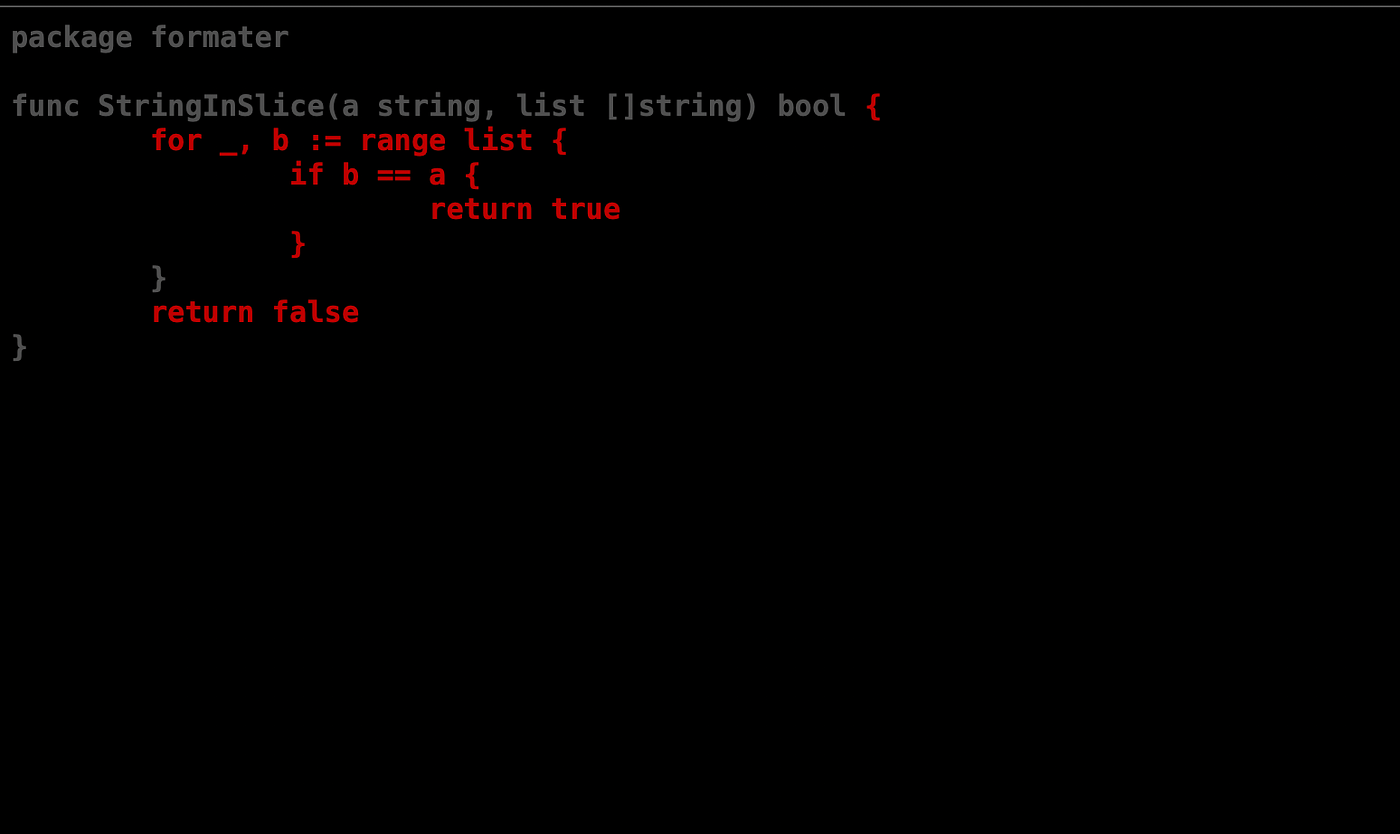
El código que no ha sido comprobado aparecerá en color rojo y el código que ha sido comprobado en color verde.
4. Buscar si el String está dentro de un Slice
Otra situación habitual son los problemas relacionados con la búsqueda simple de un string dentro de un slice. Por ejemplo, quiero hacer una lista sobre los campos que se pueden modificar en un endpoint. El método de búsqueda dependerá del tamaño del array. En mi caso, son arrays muy cortos, entonces uso una búsqueda simple.
main.gopackage main func StringInSlice(a string, list []string) bool { for _, b := range list { if b == a { return true } } return false } func main() { permmitedFields := []string{"status", "message"} field := "createdAt" if StringInSlice(field, permmitedFields) { println("the field is authorized") } println("the field is not authorized") }
5. Generar perfiles de CPU
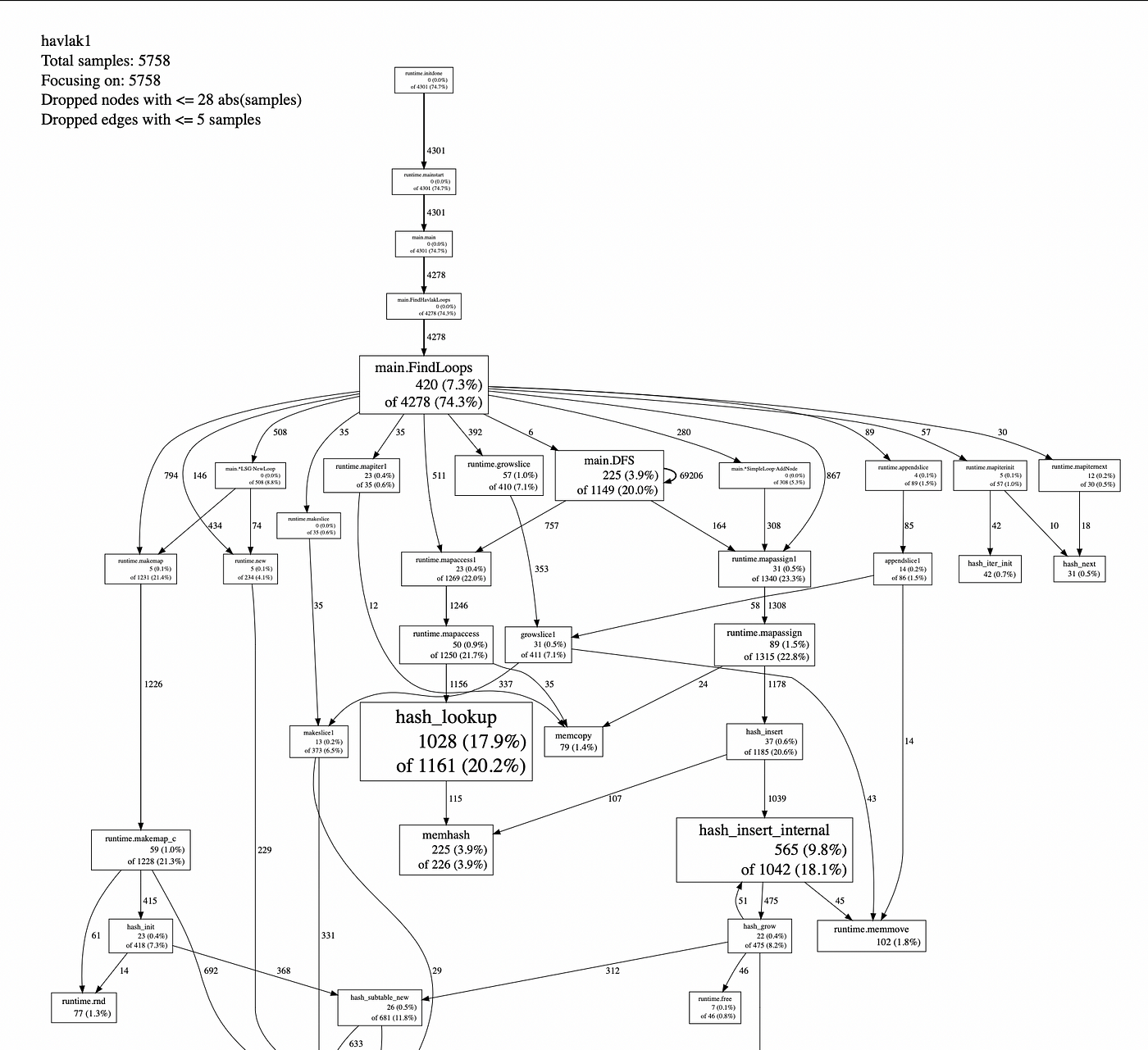
Asimismo, una de mis herramientas favoritas es la generación de perfiles de CPU para obtener un análisis más extenso del rendimiento de tu código.
~go test -cpuprofile=cpu.out ./… && go tool pprof cpu.out && rm cpu.out