

Genera facturas fácilmente en Go
Genera facturas fácilmente con el repositorio Payment Receipt Generator en Go
18 de Marzo de 2023 ¿Ves algún error? Corregir artículo
Si tienes un negocio pequeño o trabajas como freelancer, sabes que la facturación puede ser una tarea tediosa y que consume mucho tiempo. Afortunadamente, existen herramientas disponibles que automatizan este proceso y te facilitan la vida. El repositorio Payment Receipt Generator está basado en Go y te permite generar facturas de forma rápida y eficiente. Así es como funciona:
-
Instalación: Para utilizar Payment Receipt Generator, primero necesitas descargar e instalar el lenguaje de programación Go en tu computadora. Una vez que tienes instalado Go, puedes clonar el repositorio de GitHub y ejecutarlo en tu máquina local. Para ejectuarlo puedes ejectuar el comando
go run main.goo puedes compilarlo y ejecutarlo como el archivo run y generar el proceso en segundo plano
./run.sh -
Configuración: Payment Receipt Generator es altamente personalizable gracias a su archivo de configuración. Al editar este archivo, puedes especificar detalles como el nombre de tu negocio y dirección, así como los términos de pago, la moneda y la tasa de impuestos. Una vez que hayas configurado el generador a tu gusto, simplemente puedes ejecutarlo y dejar que haga el trabajo por ti. El archivo de configuración es el siguiente:
{ "payment_details": { "company": { "name": "Google Inc.", "address": "Amazing Garage in Sillicon Valley, United States", "representative": "Mr Google", "email": "mr.google@google.com", "website": "https://google.com" }, "issuer": { "name": "Jhon Doe", "address": "Amazing House in New York, United States", "email": "jhon.doe@gmail.com", "phone": "+51999999999", "website": "https://google.com" }, "works": [ { "description": "Software Development Services", "quantity": 3, "unit_price": 8000, "currency": "USD" }, { "description": "UX/UI Services", "quantity": 2, "unit_price": 900, "currency": "USD" }, { "description": "Consulting Services", "quantity": 5, "unit_price": 500, "currency": "USD" }, { "description": "Hosting Services", "quantity": 2, "unit_price": 100, "currency": "USD" }, { "description": "Domain Registration", "quantity": 9, "unit_price": 10, "currency": "USD" } ] }, "output": { "folder_path": "./out/", "file_type": "pdf" } } -
Ejecución en segundo plano: Una de las características más poderosas de Payment Receipt Generator es su capacidad para ejecutarse en segundo plano. Al configurar un cron job, puedes programar el generador para que se ejecute automáticamente en intervalos específicos, como el 15 y 30 de cada mes. Esto significa que puedes generar facturas sin tener que pensar en ello, liberando tu tiempo para otras tareas. Puedes encontrar el PID en el archivo out para cuando quieras detener el proceso puedas hacerlo usando
kill -9 PID -
Formatos de salida: Payment Receipt Generator puede generar facturas por el momento usando solo PDF pero puedes contribuir para agregar más formatos.
-
Ejemplo de factura: Aquí hay un ejemplo de factura generada por Payment Receipt Generator:
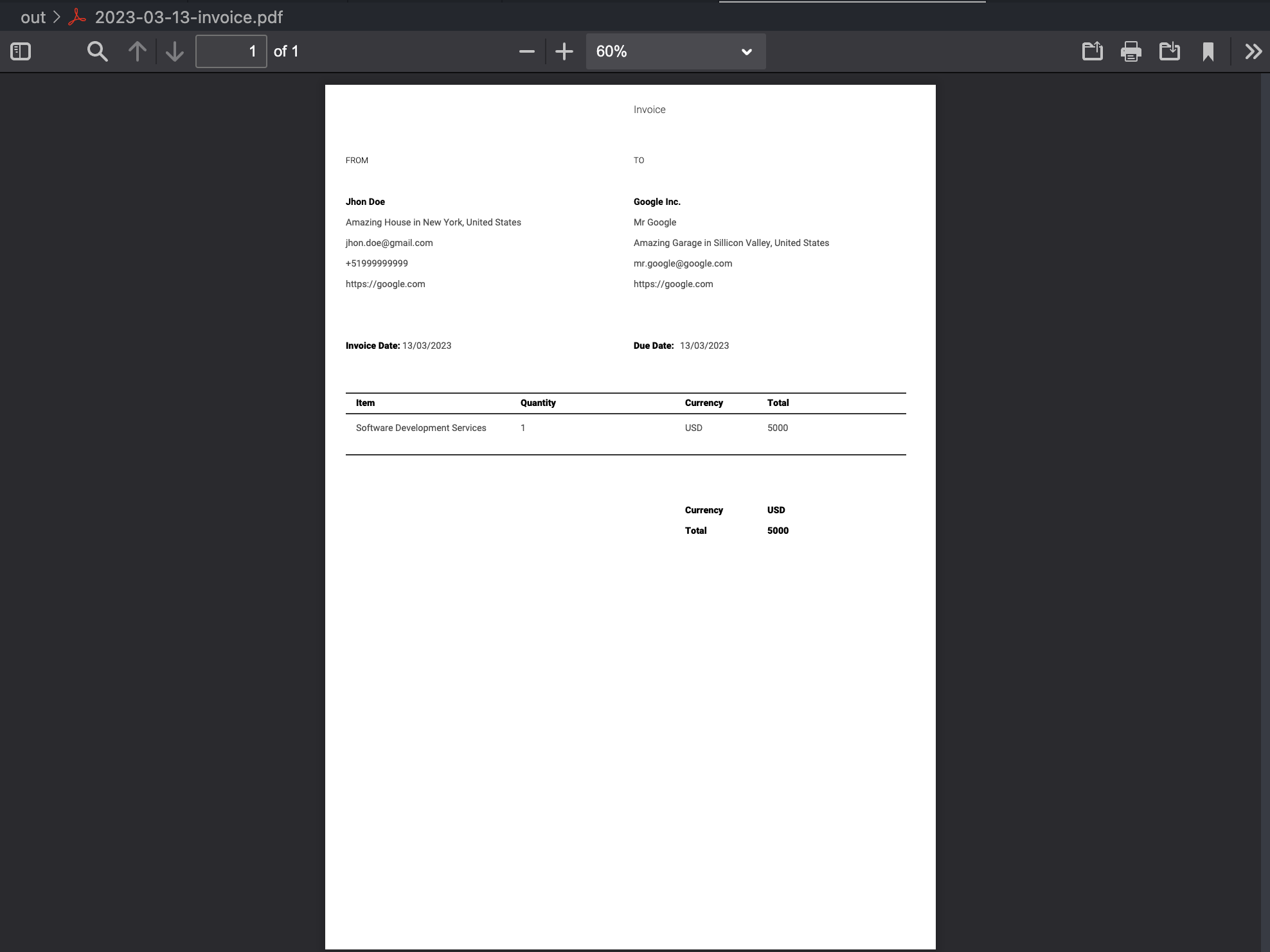
En resumen, Payment Receipt Generator es una herramienta poderosa para cualquiera que necesite generar facturas de forma rápida y eficiente. Con su fácil configuración, ejecución en segundo plano y formatos de salida personalizables, es una adición valiosa al kit de herramientas de cualquier pequeño negocio o freelancer. ¡Pruébalo y ve cómo puede simplificar tu proceso de facturación! No dudes en visitar el repositorio de GitHub para obtener más información. Link al repositorio