Authentication using JWT with Golang [Fiber] 2023 🧬
April 11th, 2023 ¿Ves algún error? Corregir artículo
Authentication can be a headache when you're just starting in the programming world, so I want to make your life a bit easier and teach you how to implement it in a basic way using the Fiber JWT package in version 3 .
Let's prepare the environment:
Create a folder 📁 where we'll host our project and initialize our Go project using the command:
~go mod init github.com/solrac97gr/basic-jwt-auth
Don't forget to replace solrac97gr with your GitHub username.
Now we need to download 3 packages that we'll use in this basic guide:
The Fiber JWT package
~go get github.com/gofiber/jwt/v3
The Golang JWT package
~go get github.com/golang-jwt/jwt/v4
And finally the Fiber package
~go get github.com/gofiber/fiber/v2
Hands on code
Models:
We'll start by creating our structures inside the models/models.go folder. You can create them in separate files or together - for the example I'll put them in one but in the repository they'll be separated:
models/models.gopackage models type LoginRequest struct { Email string `json:"email"` Password string `json:"password"` } type LoginResponse struct { Token string `json:"token"` } type User struct { ID int Email string Password string FavoritePhrase string }
Config
Inside the config/config.go folder, your task is to extract the signature for your token from environment variables or a configuration file. For the example I'll use a constant - you should never do this as it would compromise the Token's security.
config/config.gopackage config // The secret key used to sign the JWT, this must be a secure key and should not be stored in the code const Secret = "secret"
Middlewares
Middlewares are tools in programming that can serve as a prelude to actions performed by our API, such as validating that the user is logged in or restricting access to certain countries.
Fiber provides us with a JWT middleware that we'll initialize in the middlewares/auth.go folder:
middlewares/auth.gopackage middlewares import ( "github.com/gofiber/fiber/v2" jwtware "github.com/gofiber/jwt/v3" ) // Middleware JWT function func NewAuthMiddleware(secret string) fiber.Handler { return jwtware.New(jwtware.Config{ SigningKey: []byte(secret), }) }
Repository
To not overcomplicate the project and deviate from the focus, we'll use a function that will simulate a database call and return the user when the password and email match, or an error when they don't. This will be in the repository/FindByCredentials.go folder.
repository/FindByCredentials.gopackage repository import ( "errors" "github.com/solrac97gr/basic-jwt-auth/models" ) // Simulate a database call func FindByCredentials(email, password string) (*models.User, error) { // Here you would query your database for the user with the given email if email == "test@mail.com" && password == "test12345" { return &models.User{ ID: 1, Email: "test@mail.com", Password: "test12345", FavoritePhrase: "Hello, World!", }, nil } return nil, errors.New("user not found") }
Handlers
Now the important part - let's assume our user just registered using the following credentials.
~{ "email": "test@mail.com", "password": "test12345" }
We'll create the endpoint for login and a protected endpoint where we extract the information stored in the token.
We'll do this in the handlers/handlers.go folder.
repository/FindByCredentials.gopackage handlers import ( "time" "github.com/gofiber/fiber/v2" jtoken "github.com/golang-jwt/jwt/v4" "github.com/solrac97gr/basic-jwt-auth/config" "github.com/solrac97gr/basic-jwt-auth/models" "github.com/solrac97gr/basic-jwt-auth/repository" ) // Login route func Login(c *fiber.Ctx) error { // Extract the credentials from the request body loginRequest := new(models.LoginRequest) if err := c.BodyParser(loginRequest); err != nil { return c.Status(fiber.StatusBadRequest).JSON(fiber.Map{ "error": err.Error(), }) } // Find the user by credentials user, err := repository.FindByCredentials(loginRequest.Email, loginRequest.Password) if err != nil { return c.Status(fiber.StatusUnauthorized).JSON(fiber.Map{ "error": err.Error(), }) } day := time.Hour * 24 // Create the JWT claims, which includes the user ID and expiry time claims := jtoken.MapClaims{ "ID": user.ID, "email": user.Email, "fav": user.FavoritePhrase, "exp": time.Now().Add(day * 1).Unix(), } // Create token token := jtoken.NewWithClaims(jtoken.SigningMethodHS256, claims) // Generate encoded token and send it as response. t, err := token.SignedString([]byte(config.Secret)) if err != nil { return c.Status(fiber.StatusInternalServerError).JSON(fiber.Map{ "error": err.Error(), }) } // Return the token return c.JSON(models.LoginResponse{ Token: t, }) } // Protected route func Protected(c *fiber.Ctx) error { // Get the user from the context and return it user := c.Locals("user").(*jtoken.Token) claims := user.Claims.(jtoken.MapClaims) email := claims["email"].(string) favPhrase := claims["fav"].(string) return c.SendString("Welcome 👋" + email + " " + favPhrase) }
Time to bring it all together
Now in our main.go file located at the project root, we'll unite all the parts and get our API up and running.
main.gopackage main import ( "github.com/gofiber/fiber/v2" "github.com/solrac97gr/basic-jwt-auth/config" "github.com/solrac97gr/basic-jwt-auth/handlers" "github.com/solrac97gr/basic-jwt-auth/middlewares" ) func main() { // Create a new Fiber instance app := fiber.New() // Create a new JWT middleware // Note: This is just an example, please use a secure secret key jwt := middlewares.NewAuthMiddleware(config.Secret) // Create a Login route app.Post("/login", handlers.Login) // Create a protected route app.Get("/protected", jwt, handlers.Protected) // Listen on port 3000 app.Listen(":3000") }
Running our application
Once we finish creating the necessary files, we'll execute the following command.
~go run main.go
This will give us the following result in the console, which means our app is already running on port 3000
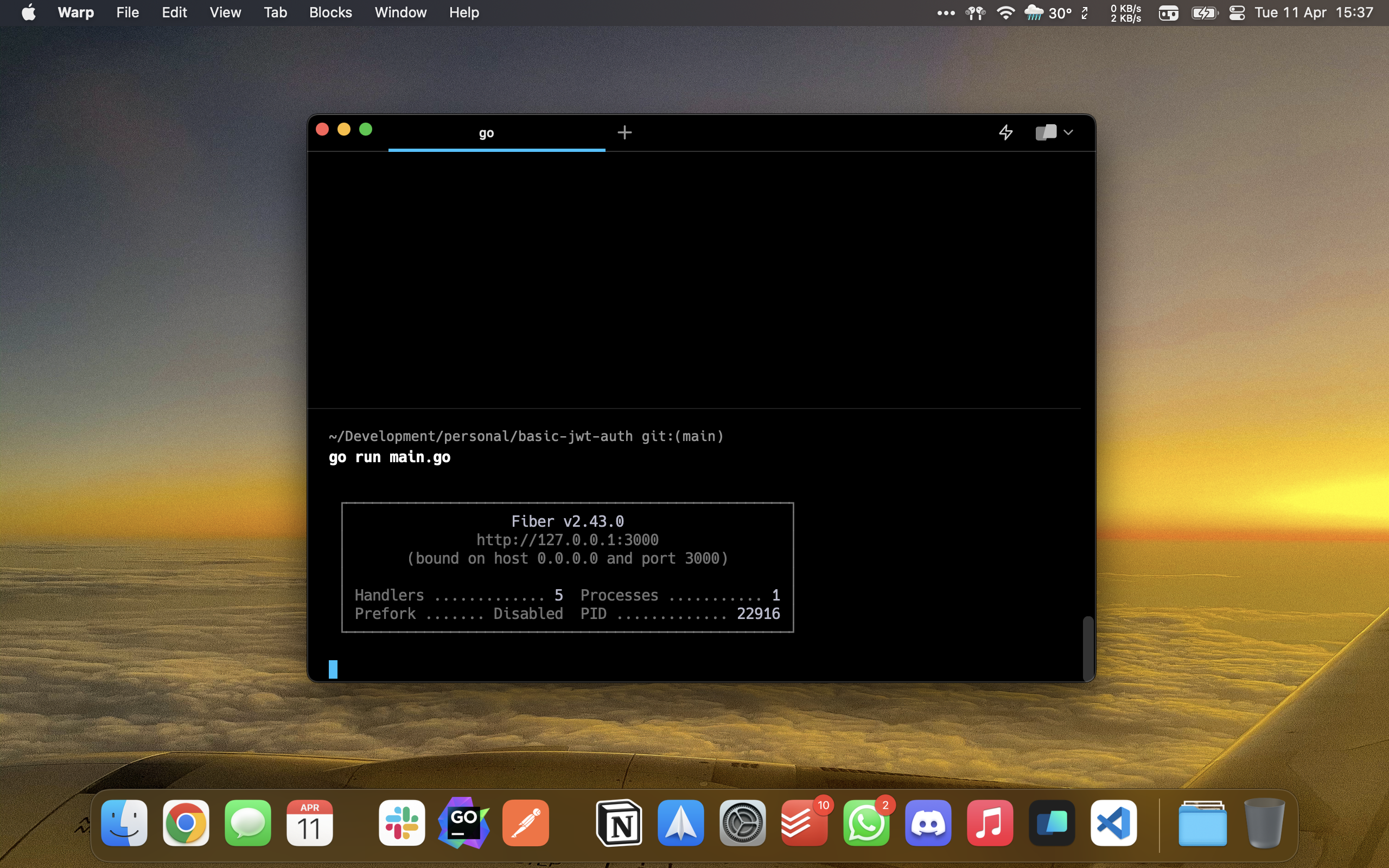
Now we'll test using postman to execute our requests.
We execute the Login and see that we get our Token 🌟
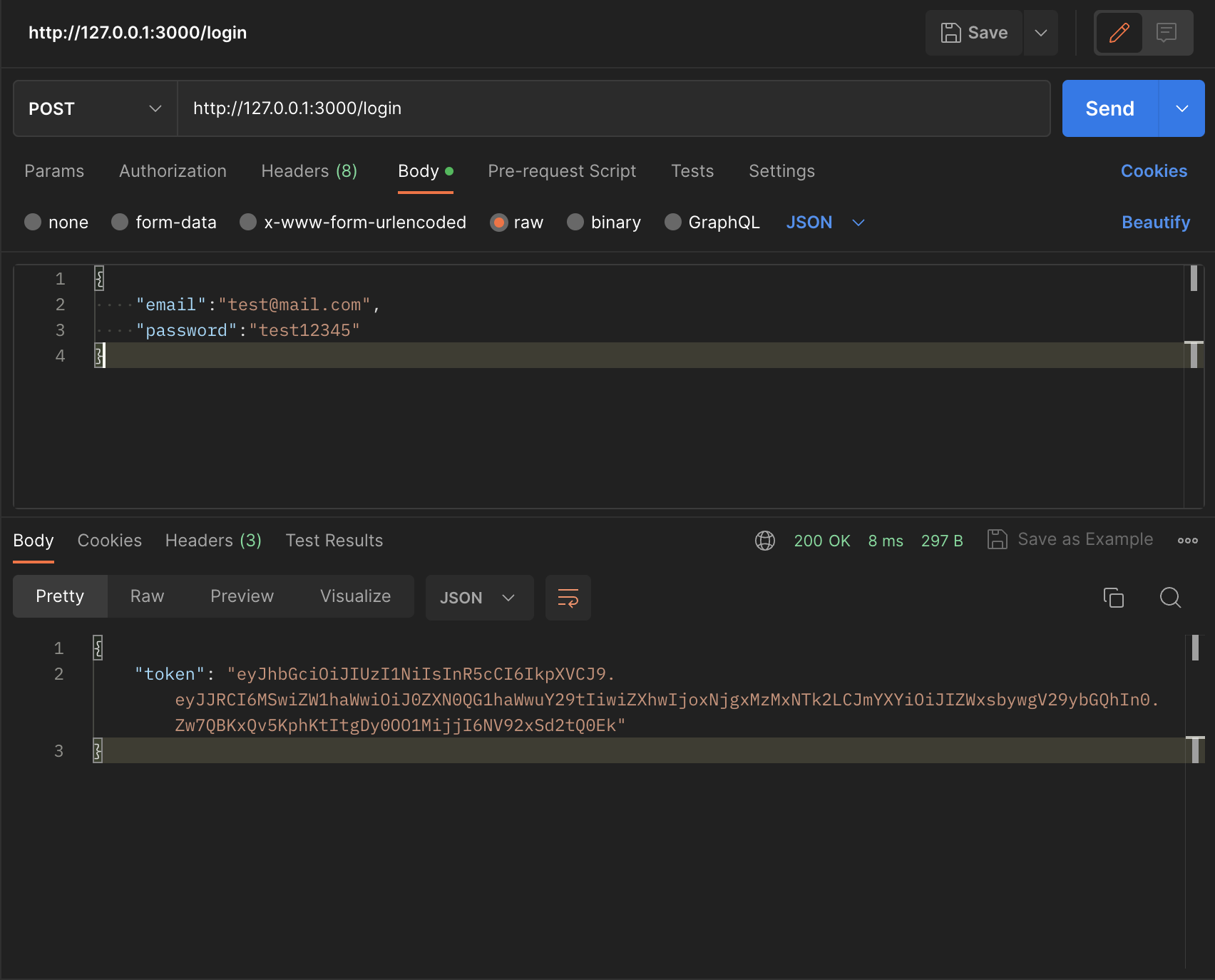
Now we'll use our token in the next request to the protected route and that's it - our route identifies which user is logged in thanks to the token information.
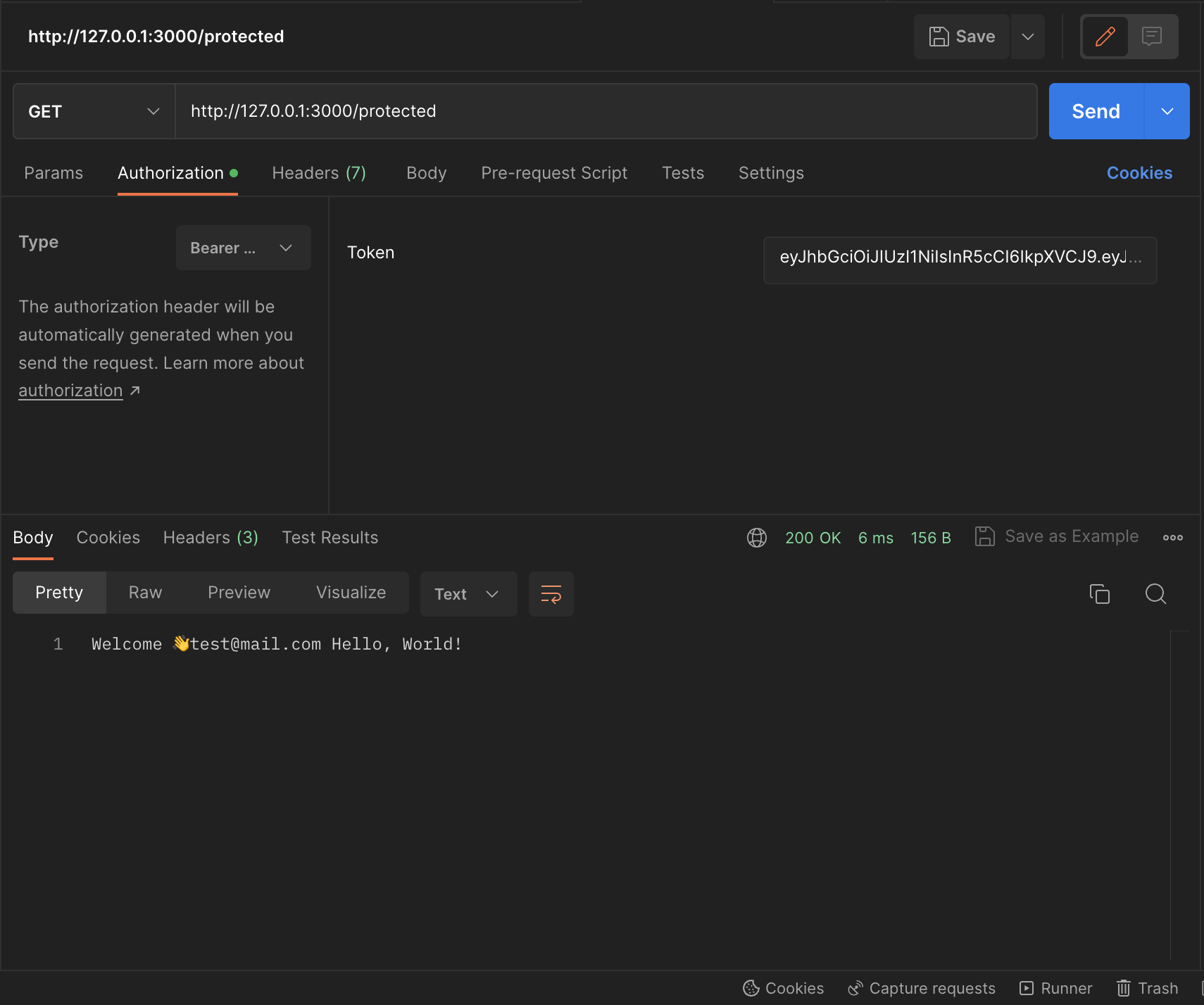
You can download the Postman requests here
This is how our final project would look
You can review the repository at the following link github.com/basic-jwt-auth
This would be the file structure.
config
config.go
handlers
handlers.go
middlewares
auth.go
models
models.go
repository
FindByCredentials.go
go.mod
main.go
Conclusion
This is how we can authenticate users using JWT in Go Fiber. However, this project structure has many points for improvement that I address in this article and that you can review to build something more robust using hexagonal architecture and DDD.